
3D PRINTING
3D Printing is the process of creating a physical object from a three-dimensional model. Our 3D printer does this by laying down many thin layers of material in succession to build an object. We use a Bambu Lab X1C 3D printer. The maximum size of 3D objects is 9.5" x 9.5" x 9.5". Prints will be printed using PLA filament. PLA filament is available in a variety of colors, including a new “surprise me” option to receive a specialty filament print!
Please Note: Our 3D Printing service is reserved for GPLD cardholders only.
How Our Process Works
Step 1:
Create a 3D model or object you would like us to print.
Step 2:
Save your work in .STL or .OBJ format.
Step 3:
Fill out and submit the Submit a Job Form.
Step 4:
The Library will print your item.
Step 5:
Staff will contact you when your print is ready for pick up.
Please Note: Unclaimed items will become the property of the Library. GPLD is not responsible for failed 3D prints and will not be liable for functional failure of or injuries or property damage caused by objects or materials made through the use of 3D printers.
How Our Process Works
- Create/find a 3D model or object you would like us to print. We highly recommend using TinkerCAD as a great place to start learning how to create 3D models. You can also find thousands of pre-designed 3D objects on Makerworld, Thingiverse, Printables, and many other websites.
- Save your 3D object using the .STL or .OBJ file format.
- Fill out our Submit a 3D Print Job form. Make sure to include any specifications on size, quality, supports, or print settings in our Notes field.
- Wait for our staff to notify you via email that your print is ready to pick-up at our Drive-Up window. Please allow at least 2 weeks for us to complete your print request.
Disclaimer: Unclaimed items will become the property of the Library. GPLD is not responsible for failed 3D prints and will not be liable for functional failure of or injuries or property damage caused by objects or materials made through the use of 3D printers.
Basic Information
Default Print Settings
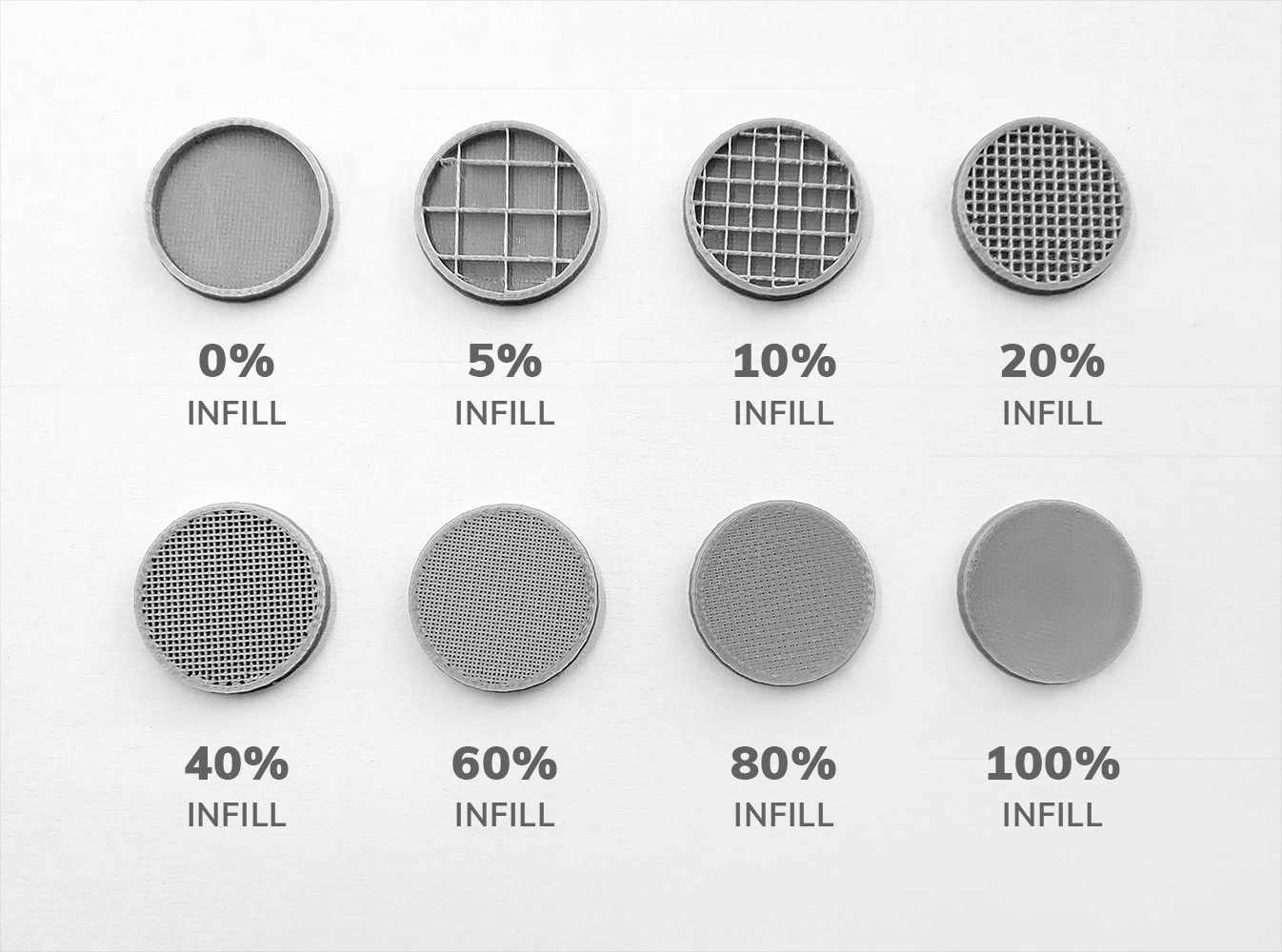
Default Infill: 15% infill. Changes to infill may be requested in the notes section of the 3D print submission form. If you're not sure what infill will work best for your print, you can reach out to us via email at innovation@gpld.org or calling us at (630) 232-0780.
Default Print Resolution/Quality: 0.2 mm print resolution. Changes to print resolution may be requested in the Notes section of the 3D print submission form.
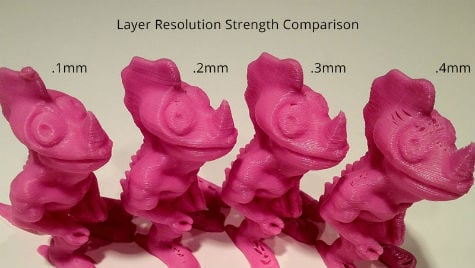
(image courtesy of airwolf3d.com)
Print Supports: Supports will be added to prints as necessary. Supports add stability as 3D objects are printed and are non-optional for some objects, yet can be difficult to remove depending on the object being printed and the type of supports used. Specific support settings may be requested in the Notes section of the 3D print submission form.
Print Limitations
Accepted File Types: .STL and .OBJ.
Print Material and Colors: All prints will be printed using PLA filament. We offer PLA filament in a variety of colors including: red, orange, yellow, neon green, green, turquoise, blue, purple, magenta, pink, brown, white, gray, black, silver, and gold.
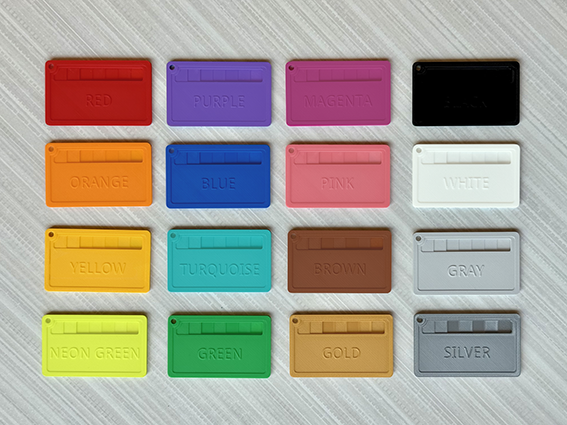
We also offer a Suprise Me option, which can result in your print being printed in any of our available colors, or possibly even a specialty color.
Print Time Limit: Maximum print time of 8 hours. We will reach out to you via email if your submitted file will take over 8 hours to print to discuss options for lowering the print time (lowering infill, lowering print quality, reducing object size).
Size Limit: Maximum print size of 9.5" x 9.5" x 9.5" (24.1 cm x 24.1 cm x 24.1 cm).
Print Pick-Up and Payment
Time for Print Completion: Please allow at least 2 weeks for your 3D print to be completed. 3D prints may take longer to print if your chosen color is out of stock, or during high demand periods, such as holidays.
Where to Pick Up Your 3D Print: 3D prints will be available for pick-up at the Drive Up window.
Cost: $0.10 per gram of material used. Item will be charged to your Library card. Fees are added at the time of print completion.
How to Pay For Print: You can pay your fee in your library card account by going into our library catalog and logging in via My Account.